Space Clicker
- 4.1
- Rating
- 100.00K
- Installs
- Free
- Price

 Analysis by App-foxy
I approached Space Clicker as a short-session strategy game rather than something to rush through in one sitting. Developed by Tap Nine, it combines the familiar rhythm of tapping and waiting with longer-term decisions about how to keep progress moving. That mixture makes it easy to understand at first, but the real question is whether the gradual progression remains interesting after the novelty of the space theme fades.
My overall impression is positive, with an important qualification: this is best for players who enjoy incremental improvement and do not need constant action. It is free to start, rated for Everyone, and sits comfortably between an idle game and a lightweight strategy title. The average rating is 4.1 from around 8,600 ratings, while its 100K-plus installs suggest that it has already found a meaningful audience. I would recommend trying it if you like checking a game repeatedly throughout the day, but I would not point a competitive or story-focused player toward it first.
How Space Clicker feels to play and who can comfortably use it
I find Space Clicker easiest to enjoy when I treat it as a series of small check-ins, not a game that needs my full attention. Its mix of tapping and idle progress makes it possible to step away without turning every missed moment into a setback, which is useful when my day is interrupted or my hands need a break. The key is choosing a pace that stays comfortable; that also helps clarify who is likely to get the most from its gradual, open-ended style.
You May Also Like

 Blood Strike: 2.5 Anniversary
Blood Strike’s Loadouts Turn Every Drop Into a Tactical Gamble
A close look at Blood Strike’s custom loadouts: how fast access to signature weapons reshapes its battle royale rhythm, rewards preparation, and narrows the gap between fights.

 Pandora - Music & Podcasts
Pandora’s Music Is Easy to Start, but Harder to Recover
Pandora’s strength is its low-effort path from a seed to a station. Its weak spot is how much confidence it asks you to place in connection, setup, and quiet recovery.

 8 Ball Pool
8 Ball Pool Is Built on Rivalries, Rematches, and Routine
A close look at the rivalries, rematches, shared routines, and unanswered safety questions that turn a quick pool match into a persistent mobile community.

 Samsung Music
Samsung Music’s Quiet Strength Is Playing What You Already Own
Its reach comes less from spectacle than from dependable access to a personal library. That simplicity is both the app’s strongest retention engine and its ceiling.

 AccuWeather: Weather Radar
AccuWeather Review: A Quick, Clear Forecast for Everyday Decisions
For everyday plans, the best forecast is the one you can understand quickly. AccuWeather makes rain timing, radar, and local conditions easy to act on, with a few trade-offs.

 Hill Climb Racing
Why Hill Climb Racing Still Turns Crashes Into One More Run
A tiny car, a bumpy hill and one more upgrade: Hill Climb Racing keeps resurfacing because its simple chaos makes every near-miss feel personal.
More From Our News Desk
View All News


Readability and navigation during ordinary play
The strongest part of the design is its basic clarity. A space clicker needs to communicate three things quickly: what action earns progress, what can be improved, and what the next useful decision is. In my experience, the appeal comes from opening the game, understanding the current state without a long explanation, and making a small upgrade before putting the phone down again.
That simple loop is helpful for players who prefer predictable navigation. You are not required to learn a large set of unrelated systems before the game becomes usable. The combination of idle progress and active input also gives the player a choice: engage directly when you feel like it, or let the longer progression carry some of the work between sessions.
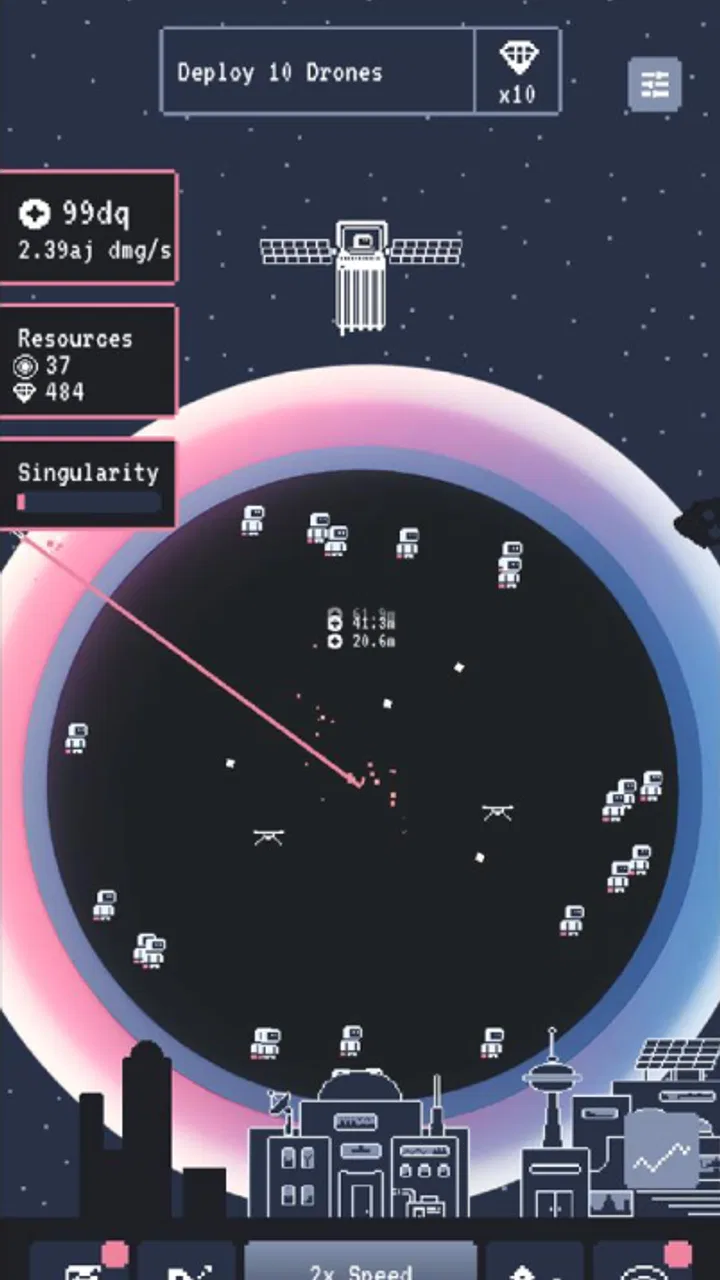
Still, simple does not automatically mean effortless. Incremental games can become visually dense as more upgrade choices, counters, and progression information appear. A player who has difficulty distinguishing small text, compact icons, or similar-looking controls may need more time to interpret each screen. I found it more comfortable to make decisions when I was not rushing, especially after returning to the game with several possible improvements available.
My practical advice is to avoid treating every available upgrade as equally urgent. Look for the option that improves the part of the loop you use most often, then observe how it changes the next few sessions. This reduces the mental load of comparing everything at once and makes the strategy layer easier to follow. It is also a better way to judge whether the game’s progression suits you than simply tapping as quickly as possible.
The navigation is likely to work best for people who appreciate repeated patterns. Once you understand the relationship between active clicking, passive progress, and upgrades, the interface becomes less demanding. Players who need large, highly separated controls or strong visual hierarchy may find the experience less comfortable, particularly during longer sessions.
Motor demands, sensory comfort, and the value of flexible pacing
The active side of the game naturally asks for repeated touches, so motor comfort matters. Someone with limited finger movement, hand fatigue, tremor, or pain may not enjoy trying to maintain a fast tapping rhythm. The idle element is therefore more than a convenience; it gives the game a way to remain playable when repeated input is tiring.
I would use that flexibility deliberately. Instead of tapping continuously, I would make a short burst of input, spend the resulting progress carefully, and then leave the game to advance in the background of the overall routine. That approach keeps the strategic decisions while reducing the physical demand. It also fits the game’s incremental character better than turning every session into a test of speed.
For players sensitive to rapid movement, flashing effects, or busy visual presentation, the space setting deserves a cautious trial. I would not assume that a space-themed interface is comfortable for every person simply because the controls are straightforward. The safest approach is to begin with a brief session, lower the device brightness if needed, and stop if the presentation causes eye strain or discomfort.
Sound can also affect whether a game works in a particular environment, even when the gameplay itself is quiet and uncomplicated. I found Space Clicker more suitable for public places, waiting rooms, or shared spaces when treated as a mostly visual check-in rather than an audio-led experience. If you need a game that can be enjoyed without drawing attention, this format has an advantage over action games that depend on constant sound cues, though your comfort will still depend on the phone’s interface and your own settings.
Another useful habit is to separate progress planning from tapping. I would first decide what kind of improvement I want, then interact only as much as necessary to support that plan. This is a small change, but it helps players who find repetitive gestures tiring and players who become overwhelmed by too many simultaneous choices. It also exposes whether the strategy is genuinely engaging or whether the game is relying mainly on repetition.
Where the game fits into real daily situations
Space Clicker makes the most sense in fragments of time: during a commute, while waiting for an appointment, or during a short break when you want something more interactive than scrolling but less demanding than a full strategy campaign. A realistic routine would be to open it in the morning, make a few decisions, leave it alone while handling other tasks, and check back later rather than trying to play continuously.
That pattern is particularly useful for people whose attention comes in short intervals. You can engage with the game without reserving an entire evening, and the idle structure means a missed session does not necessarily destroy the rhythm. I would still avoid opening it when you need complete concentration, because incremental games can encourage “one more upgrade” thinking even when each individual action is small.
It can also suit players who share a device or play in environments where long sessions are inconvenient. A quick progress check is less intrusive than a match-based game that may punish interruption. On the other hand, if you want a game that pauses at a dramatic moment, offers a clear story chapter, or gives you a satisfying result within a fixed ten-minute session, this may feel too open-ended.
For younger players, the Everyone content rating makes the game broadly approachable from an age-classification perspective. That does not remove the need for ordinary family judgment around screen time or spending. The game is free, but optional purchases range from $5.49 to $59.99 per item, so I would enable purchase protections on a shared device and explain that free access and optional spending are separate things.
The game’s current version is 1.7.1, and it requires at least OS 7.1. Those requirements make it relevant to people using older compatible devices, although comfort will still depend on screen size, performance, and personal settings. A smaller display may make compact progression information harder to read, while a larger phone or tablet can make repeated checking more comfortable.
Where the strategy works, and where it may become thin
The strategic interest comes from deciding how to turn small gains into faster future gains. That is a satisfying structure when you enjoy comparing immediate rewards with improvements that take longer to pay off. I liked the idea of treating each return visit as a planning checkpoint rather than asking whether I had “beaten” a level in the usual sense.
There is a trade-off, though. Idle progression can make choices feel meaningful while also reducing the need for constant decision-making. If you prefer games with opponents, map control, resource denial, or several viable paths that visibly clash, Space Clicker will probably feel lighter than a traditional strategy game. It is closer to managing momentum than commanding a complex battlefield.
Compared with a pure clicker, the strategy framing gives your actions more purpose. You are not only chasing a larger number; you are trying to improve the process that creates the number. Compared with a full idle role-playing game, the experience is easier to enter because it does not ask you to manage a large cast, equipment system, or narrative structure. The cost of that accessibility is depth: players who want layered builds and long tactical planning may outgrow it.
One of my preferred ways to play is to set a personal rule before each session. For example, I might focus on improving passive progress first, then switch to active gains later, rather than buying whatever becomes available. This turns the game into a small experiment. It also helps reveal whether an upgrade is valuable because it changes the way you play or merely because it produces a larger number on the screen.
Another tip is to judge purchases by how they affect your next several visits, not by the immediate excitement of unlocking them. In an incremental game, a quick reward can look attractive while offering little improvement to the longer loop. I would keep a simple mental note of which choices actually make returning more satisfying. That is a more reliable guide than chasing every visible milestone.
Remaining barriers and reasons to choose something else
The largest barrier is the repetitive nature of the core interaction. Repetition is the point for fans of the genre, but it can feel empty if you need frequent novelty. The space theme may provide a pleasant frame for progression, yet the game should not be mistaken for a narrative space adventure or a demanding simulation.
There is also a risk of fatigue from checking progress too often. The game’s convenience can become a habit that fills every spare moment without offering much variety in return. I would recommend using it as a deliberately bounded activity rather than leaving it open whenever you are bored. Short sessions make the progression feel like a reward; constant checking can make it feel like maintenance.
Optional purchases are another point to consider. The free entry is welcome, but the presence of items reaching $59.99 means the spending side deserves attention, especially for children or anyone sharing payment access. Players who want a completely purchase-free environment may prefer a paid game with no in-app store, even if its initial price is higher.
Accessibility is similarly dependent on the individual. The game’s straightforward concept and flexible idle pacing can help people who cannot sustain rapid interaction, but that does not guarantee comfortable text size, contrast, touch spacing, or sensory presentation on every device. If you rely on a particular system-level accessibility setting, test the most information-heavy screens before committing to a long-term play habit.
I would also skip it if your main goal is social competition, a strong narrative, or a clear endpoint. Space Clicker is designed around continuation and gradual accumulation. That can be calming and rewarding, but it means the satisfaction comes from the process rather than from completing a campaign or defeating another player.
My inclusive verdict after spending time with it
Space Clicker is a good fit for players who want a low-pressure strategy experience that can be picked up repeatedly throughout the day. Its blend of active clicking and idle progression gives it a useful degree of flexibility, and that flexibility matters for people who have limited time, fluctuating attention, or reduced tolerance for continuous tapping.
I especially recommend trying the short-session approach: make one or two deliberate decisions, use active input only while it feels comfortable, and return later to see whether the longer progression has changed your options. This makes the game more accessible in practice and prevents the repetitive loop from becoming unnecessarily tiring.
My recommendation is less enthusiastic for players who need rich audiovisual accessibility controls, deep competitive strategy, or substantial content variation. The game can be approachable without meeting every individual access need, so the right choice depends on how comfortable you find its text, controls, and visual rhythm on your own device.
For a free strategy game from Tap Nine, it offers a pleasant middle ground: more purposeful than mindless tapping, but much lighter than a conventional strategy title. I would install it for relaxed progression during spare moments, keep spending protections in place, and judge it by whether its small decisions remain enjoyable after the first few sessions. If that steady sense of improvement is what you are looking for, Space Clicker is worth a try; if you need constant challenge or a defined finish line, another genre will serve you better.
FAQs for Space Clicker
01What is Space Clicker and how does the gameplay work?
Space Clicker is an incremental space-themed game built around tapping, upgrading, and gradually increasing your resource production. You begin with a basic operation and earn currency by clicking, then use those earnings to improve ships, equipment, or automated generators. As progress continues, the game becomes less dependent on manual tapping and more focused on choosing upgrades that improve your long-term production.
02Can Space Clicker be played offline?
Space Clicker may allow you to continue making progress without a constant internet connection, depending on the version and platform you install. Offline earnings are commonly calculated while the game is closed and awarded when you return, although some features may still require access to the internet. Online connectivity can be necessary for advertisements, cloud saves, updates, purchases, or special events.
03Is Space Clicker free to download and play?
Space Clicker is generally available as a free download, allowing you to start playing without paying an upfront purchase price. However, free-to-play versions may include optional in-app purchases, rewarded advertisements, or promotional offers that speed up progress or provide extra resources. You can usually enjoy the main gameplay without spending money, but patience may be needed for slower upgrades.
04Does Space Clicker contain advertisements or in-app purchases?
The game can include advertising and optional purchases, as is common with incremental clicker titles on mobile devices. Advertisements may offer bonuses such as multiplied earnings, additional rewards, or temporary boosts, while in-app purchases can provide currency or remove some waiting. Before downloading, check the store listing and your device’s purchase settings, especially if children may use the device.
05Is Space Clicker suitable for beginners and younger players?
Space Clicker is usually easy for beginners because its core controls are simple: tap to earn resources, select upgrades, and let automated systems generate additional income. The interface is generally more approachable than complex strategy games, making it suitable for casual sessions. Parents should still review the age rating, advertising, privacy information, and purchase options before allowing younger players to use it.
Pros
- Simple one-tap controls make it easy to start playing immediately.
- Incremental upgrades create a satisfying sense of steady progress.
- Short play sessions suit quick breaks and casual gaming.
- Space-themed visuals give the otherwise simple gameplay some personality.
- Offline play is convenient when you do not have an internet connection.
Cons
- The core clicking loop can become repetitive after extended play.
- Progress may feel slow without watching ads or using boosts.
- Limited strategic depth may disappoint experienced idle-game players.
- Frequent upgrade menus can make the interface feel cluttered.
- Device battery use may increase during longer automated sessions.

Space Clicker
Gallery